
One-to-one music production tuition

Find a Grade 1 Music Production tutor

Learn to organise a music project, record ideas and understand what you hear. Tell us whether you want Rockschool Grade 1 preparation or help with a first production project, and which software you use.

  • One-to-one tuition
  • Pay as you go
  • Direct tutor contact
Rockschool’s Music Production Coursework Edition combines production theory, listening skills and a practical project. One-to-one tuition can focus on that assessment or on learning the foundations without entering an exam.

The form controls become available when the enquiry form has loaded.

Grade 1 Music Production tuition enquiry

Tell us what you know, skip anything you’re unsure about, and add a short description if you skip both subject and level.

  1. Tutoring brief
  2. Contact details

Final question

Contact details

Where should we send tutor options?

We’ll reply by email. Mobile is an optional fallback only.

Your tutoring brief

Subject
Music
Level
Grade 1

Free matching request skip anything you’re unsure about pay as you go when lessons begin.

We use your contact details to reply to this enquiry. See our Privacy Policy for other uses.

How one-to-one tuition can help

  • Turning a melody and backing track into a complete audio file
  • Connecting production controls with the sounds they change
  • Building an independent practice routine with work to review

Available tutors

Explore Music tutor profiles

For production lessons, check the tutor’s experience with your software and the Rockschool coursework route if you plan to enter. Use the free introductory meeting to discuss the learner’s starting point and teaching approach.

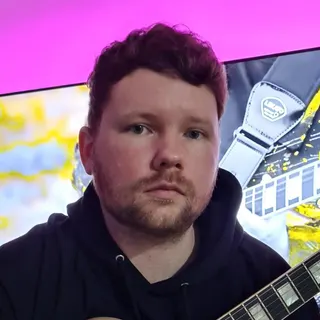
Portrait of Owen Evans

Owen Evans

Music, and Musical Instrument Specialist

Lumsden, United Kingdom

£30.00 per hourDBS checkediAccepting enquiries
GuitarMusicMusic PerformanceMusic Technology+1 more
  • Holds over 8 years' of online teaching experience.
  • Owen holds over 18 Years' experience teaching & in the Music industry.
  • Received over 1 million views & listens on Spotify, Youtube & social media.
  • A professional songwriter in all genres.
  • Over 10 years' experience using Logic Pro-x.
  • Owen has worked with Grammy-winning producers.

Owen Evans is a UK guitar tutor with 18+ years in teaching and the music industry, including 8+ years of online tutoring. He supports ABRSM/Rockschool, GCSE and A-Level Music, plus songwriting and Logic Pro X production with tailored lesson plans.

Send a quick enquiry from here and the Latimer Tuition team will pass it on to Owen.

What makes this Grade 1 production work?

RSL’s Rockschool Grade 1 course starts with creating a session and entering notes using a software instrument: a sound played inside the music program. The program is called a digital audio workstation, or DAW. Preparation brings practical work, listening and vocabulary together.

Build and finish a project
The coursework involves importing a backing track, recording a melody and exporting the combined result as a stereo audio file. Lessons can follow that sequence, with the learner carrying out each operation and explaining the result.
Recognise what you hear
Listening work includes identifying guitar, bass, drums and piano, noticing a missing instrument, comparing higher and lower notes, recognising basic note lengths and distinguishing pop and rock.
Understand the controls
Theory includes recognising equipment, DAW workspaces and controls, and basic sound terms. Connect a term to an action: locate Mute, use it on a practice track, and describe which sound disappears.

Worked example: the backing track disappears

In this constructed practice exercise in Logic Pro, a learner has a backing track and a short software-instrument melody. The exported file plays only the melody. Both tracks are still visible in the project, so the learner thinks the export must contain both.

  1. Find the cause

    The backing track was left muted after the learner listened to the melody alone. Logic’s bounce uses unmuted tracks routed to the selected output. A visible track can therefore be absent from the audio file.

  2. Correct the export

    Unmute the backing track and check that both tracks feed the main stereo output. Play the project to hear both parts, then bounce the full intended passage again. Bouncing means making an audio file from the project.

  3. Check the result

    Open the new audio file separately and listen from beginning to end. A better result contains both parts and the intended ending. For follow-up practice, change the melody, export again and repeat that check without step-by-step prompts.

Listening example: name the missing part

Try this separate practice example with a short mix containing electric guitar, electric bass, acoustic drums and piano. Make a second version with the bass muted.

“The second version sounds thinner” notices a change, but does not identify it. Replay the first version and follow the low bass line, then compare the second. A more precise answer is: “The electric bass is missing; I can still hear the guitar, drums and piano.”

Next, remove a different instrument and listen without seeing the track names. The useful check is whether the learner can name the missing part and point to what changed.

Make the next practice task small enough to repeat

Use the first piece of work to decide where lessons should start. Someone who can already make a beat may still need help saving a complete project or recognising sounds. Someone new to the software may need to practise opening a session and playing one instrument before tackling the whole task.

  • Choose one operation

    For example, practise adding a short melody to an existing backing. Keep a brief note of the controls used, then repeat the operation without copying the tutor’s clicks.

  • Keep work that shows progress

    Save the editable project and a dated audio export. Bring both to the next lesson, with a note such as “the backing now plays, but the melody ends too early”. This gives feedback a specific starting point.

  • Adjust the pace

    If several instructions at once are difficult, ask for one visible operation followed by a pause to try it. A short written sequence or labelled screenshot can help the learner return to the task between lessons.

  • Review before increasing the load

    Agree lesson frequency around access to the computer, the work the learner can complete between meetings and any exam plans. Move on when the learner can repeat the operation and explain it with less help.

Get the software and sound ready for online lessons

Latimer offers online-first, one-to-one tuition. Microsoft Teams is the default meeting platform; you and the tutor can agree another. Before the first practical lesson, test that the tutor can see the DAW and hear project playback as well as your voice.

  • Share the software name, version and device you already use. Rockschool does not prescribe one DAW, but yours must support the required work; check that before buying or changing software.
  • Have the learner’s project, headphones and relevant course materials ready. Agree a way to share an audio export if live playback is unclear.
  • Use a practice project with dummy information for setup. Keep passwords and private account details out of shared screens and files; check installation restrictions on school-managed devices.
  • Agree how the learner will access the same software between lessons. Any in-person lessons need a separate arrangement.

Keep coursework organised and confirm exam arrangements

For the Rockschool assessment, coursework is prepared beforehand. Keep the named session, associated audio and required screenshots together, following the exact task instructions. Practise finding these files and explaining how you made the work.

Before entering, agree who will make the booking and confirm the Music Production format, equipment and submission instructions with RSL. If the learner needs an exam adjustment, contact RSL about that arrangement early; teaching adaptations discussed with a tutor do not automatically change exam conditions.

Turn your enquiry into a useful first lesson

The matching request is free. Give a short description of the music the learner wants to make, anything they have tried already, their software and suitable lesson times. Include “Rockschool Grade 1 Music Production” if that is the intended exam.

  1. Discuss the starting work

    Bring a project or describe the point where the learner gets stuck. A goal such as “make a complete export with the backing and melody” gives the tutor something concrete to plan around.

  2. Agree the first priorities

    Use the introductory conversation to agree what the learner will attempt first, how feedback will be given and what they can practise independently. It is a discussion before paid lessons, rather than a full free teaching lesson.

  3. Compare the cost of the plan

    Each tutor sets their hourly rate, shown on their profile. Latimer bills for completed lessons on a pay-as-you-go basis. Compare the rate alongside the proposed lesson pattern and ask about any separate software, book or exam costs before committing.

Support and clarity

Frequently asked questions

Straight answers to the questions people ask most often.

Can I start lessons without a previous music grade?

Yes. Rockschool specifies no formal entry requirements for this syllabus. Tuition can begin with the foundations; exam readiness still depends on being able to do the Grade 1 work. Tell the tutor what the learner can already make, even if that is just a short melody or a first saved project.

Do I have to take the exam?

No. You can choose a personal goal, such as completing a short piece of music and sharing a finished audio file. If you later want the Rockschool qualification, review the whole assessment with the tutor, including the listening and theory work as well as the project.

Do I need a recording studio or an instrument?

Start by checking the software and device you already have against the work you want to do. Grade 1 technical work uses a software instrument, which produces sound inside the DAW. Discuss any recording equipment before buying it; the setup should follow the task you and the tutor have agreed.

How is Grade 2 different?

Rockschool Grade 2 moves on to rearranging supplied audio and MIDI loops, with further programming and basic mixing work. MIDI is note and performance information used by music software. Review the learner’s Grade 1 foundations before choosing that next goal; a new personal project can also be a useful direction.

Is this the same as instrumental or Music Theory Grade 1?

The Rockschool production route described here assesses work with music software, production knowledge and listening. If your goal is an instrument or Music Theory, use the exact syllabus for that qualification. For ABRSM support, see our ABRSM Grade 1 Music tuition page.

Related tutor pages

Explore related tuition options and guidance for choosing the right support.