
One-to-one music production tuition

Grade 3 Music Production tutors

Build confidence making loops, programming chords and explaining what you hear. Find support for Rockschool Grade 3 preparation or an agreed creative project using the same skills.

  • One-to-one tuition
  • Pay as you go
  • Direct tutor contact
Tell us which music-making software you use, what you can already do and whether you have an exam in mind. A short saved project helps a tutor see where you need support, from entering the right notes to turning an edit into a repeatable skill.

The form controls become available when the enquiry form has loaded.

Grade 3 Music Production tuition enquiry

Tell us what you know, skip anything you’re unsure about, and add a short description if you skip both subject and level.

  1. Tutoring brief
  2. Contact details

Final question

Contact details

Where should we send tutor options?

We’ll reply by email. Mobile is an optional fallback only.

Your tutoring brief

Subject
Music
Level
Grade 3

Free matching request skip anything you’re unsure about pay as you go when lessons begin.

We use your contact details to reply to this enquiry. See our Privacy Policy for other uses.

How one-to-one tuition can help

  • Create audio loops that repeat at the intended musical point
  • Programme a backing track using chords in C or G major
  • Connect production terminology with listening and practical editing

Available tutors

Compare Music tutors for your Grade 3 goals

Look for music production teaching and experience with your software. Confirm that the tutor can support Rockschool Grade 3 coursework, theory and listening, or describe the project you want to make.

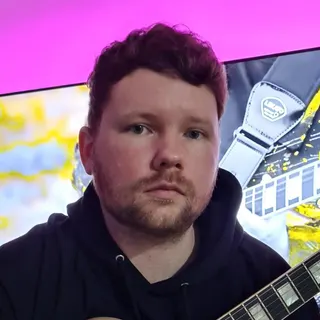
Portrait of Owen Evans

Owen Evans

Music, and Musical Instrument Specialist

Lumsden, United Kingdom

£30.00 per hourDBS checkediAccepting enquiries
GuitarMusicMusic PerformanceMusic Technology+1 more
  • Holds over 8 years' of online teaching experience.
  • Owen holds over 18 Years' experience teaching & in the Music industry.
  • Received over 1 million views & listens on Spotify, Youtube & social media.
  • A professional songwriter in all genres.
  • Over 10 years' experience using Logic Pro-x.
  • Owen has worked with Grammy-winning producers.

Owen Evans is a UK guitar tutor with 18+ years in teaching and the music industry, including 8+ years of online tutoring. He supports ABRSM/Rockschool, GCSE and A-Level Music, plus songwriting and Logic Pro X production with tailored lesson plans.

Send a quick enquiry from here and the Latimer Tuition team will pass it on to Owen.

What does Grade 3 Music Production involve?

For the Rockschool route from RSL Awards, Grade 3 sits within the Music Production Coursework Edition. Its practical work includes creating audio loops and making a backing track to prescribed chords in C or G major. Assessment combines coursework prepared before the exam with theory and listening. Candidates provide the required project evidence and explain their production choices.

Grade 2 work includes rearranging supplied loops; Grade 3 asks you to create loops and chord-based backing material. A useful starting check is whether you can open a project, make a deliberate edit, save it and describe the result. Any gaps can become early lesson targets.

You can also agree a non-exam project with a tutor, such as building a short backing track for your own melody. That gives the lessons a clear musical purpose without committing to an assessment.

Practise the three parts together

Use practical work to make the terminology and listening tasks easier to understand. These are selected Grade 3 areas and suggested practice activities; the current RSL brief sets the assessed task.

  • Audio loops and backing tracks

    A loop is a passage set to repeat. For a simple practice check, take a two-bar passage in 4/4: it contains eight beats. If you end the loop after seven beats, the next repeat starts a beat early. Set the boundary after beat eight and replay several cycles. Then work on the separate chord-programming task shown below.

  • Theory you can use

    Grade 3 terminology includes MIDI editors, quantising, bouncing and mixer controls. Connect each term with an action in your software. For example, in Ableton Live’s MIDI editor, pitch runs vertically and musical time horizontally; moving a note up or down changes its pitch, while changing its length alters its duration.

  • Focused listening

    Grade 3 listening includes mono and stereo width, major, natural minor and blues scales, eighth-note triplets in 4/4, and reggae versus soul. For triplets, tap three evenly spaced notes within one beat while keeping the beat steady. For listening comparisons, explain the feature you heard before checking the answer.

A practice example: correct a G-major backing track

Try this constructed four-bar exercise in 4/4, with one chord per bar: G, Em, C, D. It illustrates Grade 3 chord work; it is not an official exam question. Enter each chord as three notes sounding together in the piano-roll editor, where you draw or edit MIDI notes.

  1. Start with the learner’s notes

    The first three bars contain G–B–D, E–G–B and C–E–G. In the fourth bar, the learner has entered D–F–A. The rhythm can be perfectly aligned and the last chord still differ from the requested D major.

  2. Explain and correct the pitch

    D–F–A forms D minor. G major contains F♯, and the D major chord here needs D–F♯–A. Raise F by one semitone to F♯. The sharp symbol means a semitone higher. This correction meets this exercise’s chord instructions; F natural can be a deliberate choice in other music.

  3. Check the corrected part

    Replay G–B–D, E–G–B, C–E–G and D–F♯–A. Check that each chord starts at its intended bar and lasts for that bar. Quantising adjusts timing towards a chosen grid; it cannot correct a wrong chord tone. A useful explanation is: “I changed F to F♯ so the last chord is D major.”

  4. Try a new progression independently

    Now make four bars in C major: C, Am, F, G. The notes are C–E–G, A–C–E, F–A–C and G–B–D. Enter them, replay the changes and save the project. Name each chord and explain why this progression needs no sharps or flats. Ask the tutor to check any part you cannot yet explain.

Turn a lesson into independent practice

Choose one editing target at a time. After working on the chord example, save a new version and rebuild the progression without copying the tutor’s screen. On another practice session, check a loop boundary or listen for one named feature. Keep a short note of what changed, why you changed it and what you still find difficult.

A useful progress check is whether you can repeat a similar task independently, hear the result and explain the decision. A more polished track alone may hide how much help was needed. Agree lesson frequency around access to the software, time to practise and any assessment plans, then review the arrangement after the first few sessions.

If a busy screen or long explanation is difficult to follow, discuss one visible task at a time, clearly named tracks and short written instructions. The learner should keep control of the edits. These are teaching preferences to agree with the tutor; formal exam adjustments have a separate application process.

Prepare your software and online lesson setup

Latimer offers online-first, one-to-one tuition. A digital audio workstation, or DAW, is the software used to make and edit the music. RSL’s route allows different DAWs, so check what your existing software can do before buying another program.

  • Check the working project

    Tell the tutor your software name and version. Check that you can open, edit, save and reopen a practice file, and that the software can handle the required audio and MIDI tasks. Use a dummy practice project when testing shared files; keep passwords and private account details out of it. Check installation restrictions on school-managed devices.

  • Check sound as well as the screen

    Microsoft Teams is Latimer’s default lesson platform; you and the tutor can agree another. Before the lesson, test that the tutor can see the relevant editor and hear the project playback. Seeing a moving meter on a shared screen does not establish that the sound is reaching the other person.

  • Agree the practical arrangement

    Discuss headphones, available equipment and a place to work where the learner can hear the task clearly. In-person lessons require an individual arrangement. For a formal assessment, follow RSL’s exam instructions separately from the setup agreed for tuition.

Choose a tutor through your production goal

Look for someone who can explain the work in your DAW and help you make the edits yourself. Production experience, a clear teaching approach and familiarity with the named assessment matter to this choice.

  1. Describe the starting point

    Use the matching request to name your software, Rockschool Grade 3 or creative goal, one current difficulty and the times you can study. Making a Latimer matching request is free.

  2. Use the introductory meeting

    Latimer offers a free introductory meeting to discuss goals, support and arrangements. Bring a short project and ask how the tutor would break the next task into manageable steps. Confirm support for coursework, theory and listening if preparing for RSL. The introduction is normally a discussion rather than a full teaching lesson.

  3. Agree cost and scope

    Tutors set their own hourly rates, shown on their profiles, and Latimer uses pay-as-you-go billing. Agree the lesson length, schedule and first target. Ask what materials or software you will need, what feedback is included and who will handle any exam entry before committing to those costs.

Find support for your next production task

Share your software, a task you find difficult and your exam or creative goal. Those details help explain the support you are looking for.

Support and clarity

Frequently asked questions

Straight answers to the questions people ask most often.

Do I need to pass Grade 2 before starting Grade 3?

RSL does not require a previous qualification for entry. Readiness is a separate question: higher grades build on earlier knowledge. If you can rearrange a supplied loop but cannot yet create one or enter a chord progression, show that starting point to the tutor so the first tasks address it.

Do I need to play piano for the backing-track task?

You can practise entering the chord notes in a piano-roll MIDI editor, as in the example above. That lets you work on pitch, timing and note lengths without first performing the progression on a keyboard. You still need to understand the notes you enter and check that your software supports the actual task.

Can I take the Rockschool exam from home?

RSL currently offers remotely invigilated Music Production exams, meaning the exam is supervised remotely. Follow the current candidate instructions for equipment, uploads and supervision. Coursework is prepared before the exam. Agree who will make the entry and manage the required project evidence; booking tuition does not establish those arrangements.

How long will Grade 3 preparation take?

Agree a provisional plan after the tutor has seen your current work. Software confidence, chord knowledge, listening skills and time for independent practice can need different amounts of attention. Use specific checkpoints, such as recreating a progression and explaining an edit without prompts, before deciding whether an exam date is realistic.

What if I need adjustments for the exam?

Discuss lesson preferences with the tutor and formal assessment arrangements with RSL. Its reasonable-adjustments policy asks for applications at least four weeks before assessment, with supporting information, and some adjustments do not apply online. Check the current policy before booking; RSL decides which arrangements it can approve.

What could I work towards after Grade 3?

You could develop a longer personal production or consider the next Rockschool grade. Grade 4 introduces corrective and creative EQ, which adjusts frequency balance, and removing unwanted recording noise. Treat those as later learning goals and choose the next step from work you can complete independently.

Related tutor pages

Explore related tuition options and guidance for choosing the right support.