
Online one-to-one music production tuition

Find a Grade 2 Music Production tutor

Work on RSL Rockschool Grade 2 coursework, listening and production knowledge, or develop those skills through your own music projects. Find support that fits your software and starting point.

  • One-to-one tuition
  • Pay as you go
  • Direct tutor contact
Grade 2 Music Production focuses on making and understanding a production project. For learners preparing for the RSL Rockschool Coursework Edition, tuition can connect loop arrangement and basic mixing with the listening and knowledge tests. Start with the learner’s software, what they can already do and the parts of a project they find difficult.

The form controls become available when the enquiry form has loaded.

Grade 2 Music Production tuition enquiry

Tell us what you know, skip anything you’re unsure about, and add a short description if you skip both subject and level.

  1. Tutoring brief
  2. Contact details

Final question

Contact details

Where should we send tutor options?

We’ll reply by email. Mobile is an optional fallback only.

Your tutoring brief

Subject
Music
Level
Grade 2

Free matching request skip anything you’re unsure about pay as you go when lessons begin.

We use your contact details to reply to this enquiry. See our Privacy Policy for other uses.

How one-to-one tuition can help

  • Hear timing problems and learn how to correct them in a project
  • Develop Grade 2 audio-loop, MIDI and basic mixing skills
  • Connect production choices with listening, terminology and saved coursework

For RSL Rockschool exam preparation, include Grade 2 Music Production, the Coursework Edition brief and any intended exam date.

Available tutors

Compare music tutors for your Grade 2 production goals

Use the profiles to compare teaching approach and rate. Discuss experience with your production software and the RSL coursework before arranging lessons.

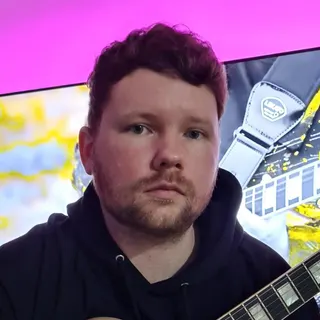
Portrait of Owen Evans

Owen Evans

Music, and Musical Instrument Specialist

Lumsden, United Kingdom

£30.00 per hourDBS checkediAccepting enquiries
GuitarMusicMusic PerformanceMusic Technology+1 more
  • Holds over 8 years' of online teaching experience.
  • Owen holds over 18 Years' experience teaching & in the Music industry.
  • Received over 1 million views & listens on Spotify, Youtube & social media.
  • A professional songwriter in all genres.
  • Over 10 years' experience using Logic Pro-x.
  • Owen has worked with Grammy-winning producers.

Owen Evans is a UK guitar tutor with 18+ years in teaching and the music industry, including 8+ years of online tutoring. He supports ABRSM/Rockschool, GCSE and A-Level Music, plus songwriting and Logic Pro X production with tailored lesson plans.

Send a quick enquiry from here and the Latimer Tuition team will pass it on to Owen.

What RSL Grade 2 Music Production covers

Rockschool’s Coursework Edition combines production knowledge, listening and a practical task prepared before the exam. At Grade 2, the practical focus is rearranging supplied audio and MIDI loops, using software instruments and basic mixing. A digital audio workstation (DAW) is the software in which you arrange and edit the project.

Production knowledge
Recognise file formats, connections, microphones, track types and editing commands such as cut, copy and duplicate. Link each term to something the learner can identify in their project or setup.
Listening
Recognise timing and tuning faults, major and minor triads (three-note chords), 4/4 and 3/4 time, and blues versus metal. Practise listening before looking at the screen for clues.
Coursework
Rearrange the provided loops and make basic production choices. Prepare the session, its associated audio and the screenshots required by the actual brief, and be ready to explain the decisions made.

A worked example: the bass starts one beat late

Try this practice example with two loops that already match the project tempo. Both are exactly four bars long, in 4/4: four beats in each bar. The drum loop starts at bar 1, beat 1, but the bass MIDI region starts at bar 1, beat 2. Here, a region means the block of musical material on the timeline. This is a constructed exercise; use the supplied RSL brief for assessed coursework.

  1. Identify the problem

    Play both parts together and count the beats. The whole bass phrase enters one beat after its intended start. Turning it up makes it louder but leaves the timing error in place.

  2. Correct the start

    Move the entire bass region one beat earlier, to bar 1, beat 1. Use the bar-and-beat ruler and an appropriate snap-to-grid setting to place it accurately. This corrects the offset; the loops’ tempo stays the same.

  3. Check the repeat

    Four bars contain 16 beats, so a consecutive copy starts at bar 5, beat 1. Listen across that join. Both parts should continue without an unintended gap or overlap. Then adjust their relative volume so the bass can be heard alongside the drums.

  4. Explain and preserve the change

    A useful explanation is: “The bass entered a beat late, so I moved its whole region to the first beat. The next copy begins at bar 5.” Save a new practice version, close it and reopen it to check that the arrangement and audio are intact.

Prepare the software and sound for an online lesson

RSL does not prescribe a single DAW. Start by checking whether the software you already use can open the required files and complete the task. Latimer lessons are online and one-to-one, with Microsoft Teams as the default meeting platform; you and the tutor can agree another option.

  • Share the DAW name and version, computer type and any grade book or coursework brief you are using. Agree how the tutor will see the timeline and hear software playback, then test that arrangement.
  • Keep headphones and a small practice project ready. If live playback is unclear, agree a way to share a saved audio example and the relevant project view for feedback.
  • Use a practice copy with dummy information. Keep passwords, account details and private recordings out of shared files, and check installation restrictions on a school-managed device.
  • Check the controls in your actual software. For example, GarageBand on Mac lets you play software instruments using the computer keyboard or an onscreen keyboard; a hardware MIDI keyboard is optional for that method.

Choose a tutor around the learner’s project

A free introductory meeting is a chance to discuss goals, teaching approach and arrangements. Describe the learner’s current production work: perhaps they can assemble loops but cannot explain why a join sounds wrong, or recognise a fault by ear but struggle to correct it in the software. Use that starting point to discuss the tutor’s experience of RSL Grade 2 and your DAW.

  • Discuss how the tutor would connect a listening observation with an edit the learner can carry out themselves.
  • Agree how projects will be reviewed: which files to bring, how feedback will be recorded and what the learner will try between lessons.
  • Explain any difficulty with busy screens, long spoken instructions or remembering sequences. A possible adaptation is one labelled track, one demonstrated action and a short written instruction before combining the steps.
  • Agree lesson length and frequency around access to the software and realistic practice time. Share an intended exam date if there is one.

Turn practice into evidence of progress

Use a small practice cycle that includes practical work, listening and terminology. The aim is to see what the learner can repeat and explain without a running commentary from the tutor. Choose the next task from that evidence.

  1. Repeat one edit

    Work on a fresh copy of a practice project. Repeat the recent correction independently and explain what changed. If the same problem returns, identify the missed step before adding another technique.

  2. Listen, then name the issue

    For the loop example, hide the timeline and identify the late part by ear. In a separate tuning comparison, listen for an instrument whose pitch clashes with the others. Moving a correctly placed region along the timeline will not repair an out-of-tune note.

  3. Check knowledge in context

    Point to a track or editing command and explain its purpose. Keep a short note of terms that still need clarification so the next lesson can address a specific question.

  4. Reopen and review

    Check the saved project with its audio present, keep a before-and-after version and explain one production choice. Before exam entry, review all three assessed areas against the actual brief; one corrected loop is only part of that preparation.

Arrange the exam and access support early

For an exam goal, agree who will buy the entry, communicate with RSL and handle the submission. Bring the actual task instructions to lessons so the required files and screenshots can be checked.

RSL offers an online home exam. Its linked remote guidance calls for a laptop or desktop, webcam, microphone and internet, with headphones used for Music Production listening tests. Check the current booking instructions for the technical requirements that apply to your exam.

If an exam adjustment is needed, contact RSL early. Its graded-qualifications policy requires requests at least four weeks before assessment and considers them individually. Discuss lesson adaptations with the tutor as well; RSL decides the exam arrangement.

Compare the lesson rate and the work it supports

Each tutor sets their own hourly rate, shown on their profile. Standard Latimer lessons are billed after they take place on a pay-as-you-go basis. Compare the rate alongside the tutor’s production experience, approach to explaining mistakes and proposed lesson pattern.

When planning a budget, check any software, grade-book and exam-entry costs separately. Use the introductory conversation to agree what to prepare for paid lessons, so time together can focus on the project and skills that need attention.

Tell us what you want to make or prepare

Share the learner’s software, current experience and a production problem they want to solve. Say whether the goal is RSL Grade 2 coursework or a personal music project, and add preferred lesson times. The tutor-matching request is free.

Support and clarity

Frequently asked questions

Straight answers to the questions people ask most often.

Do I need to pass Grade 1 before Grade 2 Music Production?

No. RSL does not require an earlier grade pass. Grade 2 assumes basic production knowledge and skills, so review the learner’s starting point before choosing an exam date. If opening, arranging or saving a project is still unfamiliar, begin by securing those foundations.

Is Grade 2 Music Production the same as a Level 2 course?

No. The qualification in RSL’s Coursework Edition specification is the RSL Level 1 Award in Music Production – Grade 2. The grade number and qualification level describe different things. Use the full award title when comparing it with a college or vocational course.

Can I work on music production without taking an exam?

Yes. You can use loop arrangement, software-instrument work and listening comparisons as learning goals without setting an exam date. For example, agree a short arrangement to finish, then review its timing, balance and saved project with the tutor.

How long does Grade 2 preparation take?

Agree a timescale after reviewing current skills, practice access and the intended assessment date. A useful checkpoint is being able to complete a task independently, explain a production choice and reopen the saved work. Review listening and knowledge alongside the project before deciding on entry.

Can I arrange in-person music production lessons?

Latimer is online first. In-person lessons need an individual arrangement with the tutor. Discuss the location, computer and software access before booking, so the learner can work in a suitable setup.

What could I work on after Grade 2?

You could develop a personal arrangement further or consider the next grade. RSL Grade 3 moves on to creating audio loops and programming chord-based backing. Use the learner’s independence with Grade 2 work to decide whether to broaden their projects or prepare for that next step.

Related tutor pages

Explore related tuition options and guidance for choosing the right support.