
Music production tuition

Grade 4 Music Production tutors

One-to-one help with Rockschool Grade 4 listening, audio editing and production choices you can explain, with support for personal music projects too.

  • One-to-one tuition
  • Pay as you go
  • Direct tutor contact
Rockschool Grade 4 Music Production combines technical understanding, listening and practical work in a digital audio workstation (DAW), the software used to record and edit music. A useful lesson connects what you hear to what you change in a project. Tell us whether you are preparing for the qualification or developing similar production skills without an exam, and which software you use.

The form controls become available when the enquiry form has loaded.

Grade 4 Music Production tuition enquiry

Tell us what you know, skip anything you’re unsure about, and add a short description if you skip both subject and level.

  1. Tutoring brief
  2. Contact details

Final question

Contact details

Where should we send tutor options?

We’ll reply by email. Mobile is an optional fallback only.

Your tutoring brief

Subject
Music
Level
Grade 4

Free matching request skip anything you’re unsure about pay as you go when lessons begin.

We use your contact details to reply to this enquiry. See our Privacy Policy for other uses.

How one-to-one tuition can help

  • Hear the difference between compression, volume changes and rhythm patterns.
  • Remove unwanted noise while keeping the musical sound intact.
  • Make and explain EQ choices in your own production software.

Rockschool (RSL Awards)

Available tutors

Choose a tutor for your production work

Look for experience with Rockschool Music Production and the DAW you use. Before booking, confirm that the tutor can help with your production goal, whether that is Grade 4 preparation or improving a personal project.

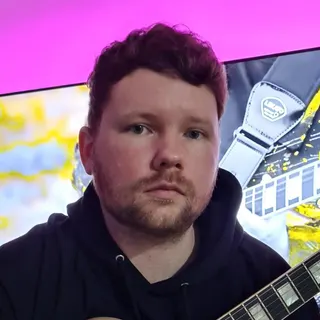
Portrait of Owen Evans

Owen Evans

Music, and Musical Instrument Specialist

Lumsden, United Kingdom

£30.00 per hourDBS checkediAccepting enquiries
GuitarMusicMusic PerformanceMusic Technology+1 more
  • Holds over 8 years' of online teaching experience.
  • Owen holds over 18 Years' experience teaching & in the Music industry.
  • Received over 1 million views & listens on Spotify, Youtube & social media.
  • A professional songwriter in all genres.
  • Over 10 years' experience using Logic Pro-x.
  • Owen has worked with Grammy-winning producers.

Owen Evans is a UK guitar tutor with 18+ years in teaching and the music industry, including 8+ years of online tutoring. He supports ABRSM/Rockschool, GCSE and A-Level Music, plus songwriting and Logic Pro X production with tailored lesson plans.

Send a quick enquiry from here and the Latimer Tuition team will pass it on to Owen.

What Rockschool Grade 4 Music Production involves

RSL Awards offers Rockschool Grade 4 Music Production through its Coursework Edition. Preparation covers production knowledge and listening alongside hands-on DAW work. Use the official Music Production information and its linked syllabus to agree the correct route with your tutor.

Technical knowledge — 25%
Understand production terminology and audio fundamentals, then connect each term to something you can hear or demonstrate in a project.
Listening — 15%
Grade 4 includes compressed and uncompressed audio, side-chain compression, semitone and tone differences, 6/8 and 12/8 time, and country and funk styles.
Coursework Task, including technical skills — 60%
Part C combines the technical-skills EQ work with noise-removal coursework. Prepare corrective and creative EQ, and use suitable editing, gates or crossfades to remove unwanted noise. Keep the project, audio assets and required screenshots so you can explain your decisions; follow your own current task instructions for submission.

Remove noise without cutting off the music

A useful Grade 4 practice example starts with a recorded guitar chord followed by a noisy gap. The chord gradually fades into the background noise. Cutting the clip as soon as its waveform becomes small can remove a quiet part of the note that the listener still needs to hear.

Listen to the whole ending first. Identify where the wanted sustain finishes, trim the unwanted gap and use a short fade where the edit would otherwise make an abrupt boundary. A crossfade blends overlapping clips when joining them. Listen across the edit in context, rather than judging only the shape on screen.

A noise gate reduces sound below a chosen threshold. If that threshold is too high, or the gate closes too quickly, it can cut off the chord’s decay. Compare the edited version with the original: the gap should be cleaner while the note still ends naturally. A gate does not selectively remove noise that is mixed with the wanted sound while the gate remains open.

For a follow-up task, save a second version and explain where you edited, why you chose a fade or gate, and what you checked by listening. The aim is a cleaner result with an explanation, not simply a shorter clip. This is an illustrative practice task, not an official exam question.

Use EQ to fix a specific problem

Suppose a practice vocal recording has a low rumble beneath the voice. Turning down the whole track makes both the voice and the rumble quieter; it does not specifically tackle the unwanted low frequencies. EQ changes the balance of frequency ranges.

A high-pass filter reduces frequencies below its cutoff. Start with the effect bypassed so you can hear the problem, then adjust the filter while listening. If the voice becomes thin, the setting is removing wanted sound too. Ease it back and compare the result at a similar listening level, both alone and in the mix. There is no single cutoff frequency that suits every voice and recording.

This gives corrective EQ a clear purpose: reduce an identified problem while preserving the useful sound. Creative EQ begins with a musical intention, such as making a part sound brighter, and still needs a listening comparison. A stronger explanation is ‘I reduced the low rumble and checked that the voice kept its body’ than ‘I used an EQ preset’. Practise making and explaining one change before stacking several effects.

Listen for pulse and changes in dynamics

Grade 4 listening includes 6/8 and 12/8. Both commonly group smaller notes in threes, so hearing a lilting rhythm alone does not distinguish them. For a simple practice pattern with clearly marked bar boundaries, count ‘ONE-and-a TWO-and-a’ for 6/8: two main beats, each divided into three. For 12/8, count ‘ONE-and-a TWO-and-a THREE-and-a FOUR-and-a’: four main beats, each divided into three. Tap the main beats and mark the return of beat one. Use clear accents: two bars of 6/8 can otherwise resemble one bar of 12/8, so an unaccented run of small notes is not enough to identify the written time signature.

Ask for an unfamiliar example next, and explain the grouping before naming the time signature. This is more useful than memorising one recording’s speed; tempo alone does not tell you whether the pattern is in 6/8 or 12/8.

For compression, compare two versions of the same drum pattern at similar listening levels. Listen to the difference between the strong hits and quieter detail. Compression can reduce that dynamic contrast, but output gain can also make a processed clip louder overall. ‘The louder one is compressed’ is therefore an unreliable shortcut. Practise describing the audible change first, then identifying the process.

Turn lesson feedback into independent practice

Agree lesson frequency around the work you can complete between meetings. A regular lesson is most useful when it produces a specific task that you can repeat without the tutor operating the software for you. These checkpoints can support an exam plan or a personal project.

  1. Start from your current project

    Bring a short audio example and describe one difficulty: a clipped note ending, an unclear EQ decision or a listening question you keep misidentifying. Show what you already tried.

  2. Work on one decision

    Save an original and an edited version. Change one setting or edit at a time, listen again and keep a brief note explaining what changed. Use a labelled screenshot if it helps you remember the steps.

  3. Check transfer to a new example

    Apply the same principle to a different clip or listening example. Progress means you can find the problem, make a suitable change and explain its effect with fewer prompts, not just reproduce a tutor's clicks.

Prepare your software and audio for online lessons

Latimer provides online one-to-one tuition. Tell the tutor your DAW, version and device before the first teaching lesson. Agree how you will share the project view and its audio, then check that the tutor can hear playback as well as your voice. Microsoft Teams is the default meeting platform; you and the tutor can agree another option. An in-person lesson needs an individual arrangement.

Use a small practice project with dummy information, keep passwords and private account details out of shared work, and check installation restrictions on a school-managed device. Keep a backup and gather the audio files used by the project so the tutor can understand it without missing sounds. Ask before buying extra software or recording equipment.

If a learner finds the interface or listening vocabulary difficult, request labelled screenshots, a short written sequence and one control to practise at a time. Agree a format the learner can use independently between lessons.

Choose teaching that connects listening and software

Use a free introductory meeting to discuss the learner’s goals, teaching approach and arrangements. It is an introduction rather than a full teaching lesson. Bring the name of the qualification, your software and one example of the help you need.

  • Production and syllabus fit

    Ask how the tutor would connect Grade 4 listening, terminology, the EQ task and coursework. For a personal project, name the skill you want to develop instead of asking for general music help.

  • Teaching at the learner's pace

    Ask for explanations that begin with the audible problem before introducing a tool or setting. Agree whether written steps, repeated listening or a visual demonstration would make practice easier.

  • A practical agreement

    Check the tutor's current profile rate, timetable and software compatibility. Agree what to prepare between lessons and how you will review independent progress before setting an exam target.

Support and clarity

Frequently asked questions

Straight answers to the questions people ask most often.

Do I need to pass Grade 3 Music Production first?

RSL does not require a previous grade pass for entry to Grade 4 Music Production. The syllabus does, however, assume skills developed at earlier grades. Before choosing an exam date, check that you can navigate your DAW, manage a small project and explain basic audio choices. A previous instrumental or Music Theory grade does not by itself show those production skills.

Do I need a particular DAW or an expensive studio?

Rockschool Music Production is not tied to one DAW. Check that your software can perform the specified tasks and create the required files, and that your tutor can teach it. Identify any actual gaps before buying equipment. For the home-online exam route, RSL’s linked remote-exam guide specifies a laptop or desktop, webcam, microphone and internet connection, with headphones for Music Production listening tests. Check your current booking instructions for the full exam setup; an ordinary lesson has its own agreed arrangements.

Can I study these skills without taking the exam?

Yes. You can ask for lessons focused on a personal project: cleaner edits, more purposeful EQ or more accurate listening. Use the original and revised audio, along with your explanation, to review progress. If you later decide to take Rockschool Grade 4, check the full syllabus with your tutor; completing one personal project does not establish readiness for every assessed component.

Who books the exam and submits the coursework?

Agree who will handle entry before setting a deadline, and follow RSL’s current booking and submission instructions. Keep responsibility for the candidate’s own coursework clear when arranging feedback. Booking tuition is separate from entering an exam: ask the tutor what preparation and administrative help they offer rather than assuming either is included.

How much do Grade 4 Music Production lessons cost?

Tutors set their own hourly rates, shown on their profiles. Latimer lessons are billed on a pay-as-you-go basis, and requesting a match is free. Compare the agreed lesson length and rate alongside any separate software, materials or exam costs. To judge value, agree what you should be able to do independently after a period of tuition, such as making a clean edit and explaining the decisions.

Further information

Useful links and resources

Related tutor pages

Explore related tuition options and guidance for choosing the right support.