
Online one-to-one tuition

Find a Grade 6 Music Production tutor

Prepare for RSL Rockschool theory, listening and coursework, or develop your production skills through projects. Find support for your software and chosen specialism.

  • One-to-one tuition
  • Pay as you go
  • Direct tutor contact
At Grade 6, production work needs clear technical and creative decisions. Use the enquiry to name your digital audio workstation (DAW), the software you use, whether you are preparing for RSL’s Coursework Edition, and the area you want to develop: Audio Production, Electronic Music Production or Sound for Media.

The form controls become available when the enquiry form has loaded.

Grade 6 Music Production tuition enquiry

Tell us what you know, skip anything you’re unsure about, and add a short description if you skip both subject and level.

  1. Tutoring brief
  2. Contact details

Final question

Contact details

Where should we send tutor options?

We’ll reply by email. Mobile is an optional fallback only.

Your tutoring brief

Subject
Music
Level
Grade 6

Free matching request skip anything you’re unsure about pay as you go when lessons begin.

We use your contact details to reply to this enquiry. See our Privacy Policy for other uses.

How one-to-one tuition can help

  • Understand buses and auxiliaries by tracing the signal and listening to the result
  • Develop vocal automation, synthesiser design or an atmosphere for an image
  • Prepare listening, technical explanations and independent production work

For exam preparation, include RSL Rockschool, the Coursework Edition, your chosen specialism and target date.

Available tutors

Explore Music tutors for Grade 6

Check each tutor’s experience with Music Production, your software and the specialism you want to study before arranging lessons.

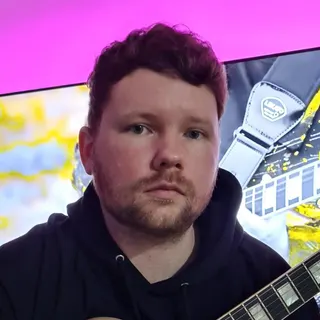
Portrait of Owen Evans

Owen Evans

Music, and Musical Instrument Specialist

Lumsden, United Kingdom

£30.00 per hourDBS checkediAccepting enquiries
GuitarMusicMusic PerformanceMusic Technology+1 more
  • Holds over 8 years' of online teaching experience.
  • Owen holds over 18 Years' experience teaching & in the Music industry.
  • Received over 1 million views & listens on Spotify, Youtube & social media.
  • A professional songwriter in all genres.
  • Over 10 years' experience using Logic Pro-x.
  • Owen has worked with Grammy-winning producers.

Owen Evans is a UK guitar tutor with 18+ years in teaching and the music industry, including 8+ years of online tutoring. He supports ABRSM/Rockschool, GCSE and A-Level Music, plus songwriting and Logic Pro X production with tailored lesson plans.

Send a quick enquiry from here and the Latimer Tuition team will pass it on to Owen.

What RSL Grade 6 Music Production assesses

The RSL Rockschool Coursework Edition combines music-production knowledge, listening and prepared coursework. The published Grade 6 exam takes approximately 70 minutes; making the coursework happens beforehand. A finished track alone does not cover the whole assessment.

Use the current Grade 6 book and task instructions to plan the work. The coursework includes technical skills and a creative scenario in a chosen specialism: Audio Production, Electronic Music Production or Sound for Media. These are production routes, so preparation should follow their briefs and software tasks.

Terminology and fundamentals: 25 marks
Selected Grade 6 topics include automation, synthesis, dynamic range, headroom and creative processing. Practise explaining the purpose of a control as well as finding it on screen.
Listening: 15 marks
Prepare effect recognition, diminished and augmented triads, and genre listening. The published Grade 6 outline includes drum grooves, house and modern R&B.
Coursework: 60 marks
Prepare the required production work and screenshots, save the session with its associated audio, and answer questions about techniques, professional approach and creative interpretation.

Trace the signal through buses and auxiliaries

Applying effects through buses and auxiliaries is part of the Grade 6 technical work. These routes let audio reach shared processing; understanding which control affects which sound matters more than memorising a menu sequence.

For a practice example, start with two dry vocal tracks and one reverb return. A return is a track that receives signals sent from other tracks and applies an effect. Send a little of each vocal to that return while keeping the original vocals audible. Increase only the first vocal’s send: its contribution to the shared reverb changes. Altering the return’s level changes the combined effect coming back into the mix.

A common confusion is to move the shared return when only one vocal needs less reverb. Reduce that vocal’s send instead, then listen to both parts together. The sign of progress is being able to trace each path and explain which control changes one source’s effect contribution. Names such as bus, aux and return vary between DAWs.

Choose a specialism and practise its musical decisions

The three Grade 6 creative scenarios ask for different production skills. The examples below are constructed practice tasks, with an audible problem and a way to judge the change. Use the actual RSL task for assessed material and submission requirements.

  • Audio Production: even out a vocal

    The Grade 6 scenario uses automation to correct an uneven vocal recording. Automation records changes to a control over time. Imagine a quiet phrase followed by one that jumps out of the mix. Lowering the entire vocal track makes the quiet phrase harder to hear. Instead, draw a level reduction around the loud phrase and return smoothly to the previous level. Replay the surrounding lines with the backing track: the words should remain clear without an abrupt change at the edit. A useful explanation is, “I reduced the second phrase because it dominated the backing, while leaving the first phrase audible.”

  • Electronic Music Production: design a patch for a groove

    The Grade 6 scenario asks for an original synthesiser patch that fits a supplied drum groove. For practice, use your own patch and a short MIDI phrase, the note instructions sent to the synth. Suppose long note tails fill the gaps in a rhythm you want to keep sparse. Shorten the amplifier envelope’s release, which controls the fade after a note is released, then replay the same notes and groove. Save both versions and compare the spaces between notes. The better choice serves your intended rhythm; a short release is not automatically better for every track.

  • Sound for Media: give an image an atmosphere

    The Grade 6 scenario creates a sonic or musical atmosphere for an image. Imagine an empty railway platform at dusk and choose an intention: quiet anticipation. Try a distant, sparse texture beneath an occasional foreground sound. Then compare it with a dense, busy layer. If the busy version contradicts the intended stillness, remove or reshape it. A useful explanation connects the choice to the scene: “I left gaps between foreground sounds to preserve the sense of an empty platform.” Another interpretation could work too; adding more layers does not by itself make the response more convincing.

Connect listening to the controls you use

Listening practice should help you describe a change as well as notice it. Use the official Grade 6 listening material to check recognition of effects, chords and styles; then connect that vocabulary to a small practice project.

For example, revisit the two vocal versions from the automation exercise without looking at the screen. Identify the phrase where their balance differs, describe what changed, and then inspect the automation to check your explanation. “The vocal sounds better” gives little information. “The second phrase no longer jumps ahead of the backing, and the first phrase stays audible” identifies both the problem and the result.

For theory, ask the tutor to relate terms such as headroom or dynamic range to the session you are using. Keep a short record of terms you can explain independently and those you can recognise only with a prompt. This gives the next lesson a more precise focus than repeatedly playing a finished mix.

Build independence before the assessment

Agree lesson frequency around the learner’s starting skills, target date and realistic practice time. A useful cycle combines a small production task, a listening check and an explanation of the decision. Keep assessed production choices and explanations the learner’s own; use separate practice material for demonstrations and follow the actual task’s rules on assistance.

  1. Start from a practice project

    Bring a project the learner can open and explain. Choose one technical difficulty and one listening or theory gap, rather than treating a polished track as proof that every assessed skill is secure.

  2. Repeat the skill without step-by-step help

    After a demonstration, apply the same idea to another phrase or sound. Replay the result, explain why the change was made and save it. The follow-up should test understanding rather than recall of where the tutor clicked.

  3. Reopen and check the evidence

    Before a readiness review, reopen the saved session and confirm that its audio is present. Check the required screenshots and other files against the task. Practise explaining the technique, working method and creative intention without the tutor supplying the answer.

Prepare the software and audio for online lessons

Latimer’s lessons are online first, with Microsoft Teams as the default platform; tutor and learner can agree an alternative. Before the first teaching session, test whether both people can hear the DAW playback clearly while discussing the screen. Have headphones, a working computer and a practice project ready. In-person lessons require an individual arrangement.

RSL allows a preferred DAW for Grade 6. Check that yours can perform the task and save the required files before changing software or buying extras. The Grade 6 book supplies the task, listening material, sample paper, audio and glossary. Share the software name and version with the tutor so preparation uses controls the learner can find at home.

Use dummy information in shared practice files and keep passwords and private account details out of them. Check installation restrictions on school-managed devices. For the exam itself, follow the current RSL booking instructions for equipment and invigilation; the lesson platform does not determine the exam setup.

Use the introduction to agree the support and cost

Latimer’s matching request is free. Use the free introductory meeting to discuss the learner’s goals, the tutor’s approach and practical arrangements. It is a chance to check fit before paid lessons: can the tutor work in the learner’s DAW, support the chosen production specialism and explain the listening and theory alongside it?

Bring one short practice example and describe the point where the learner gets stuck. For someone comfortable with software but unsure how to explain decisions, the priority may be listening and technical language. A learner who understands the terms but needs repeated help navigating the session may benefit from one operation at a time, paired with listening and a chance to repeat it. Discuss written reminders or a slower demonstration pace where useful.

Each tutor sets the hourly rate shown on their profile. Latimer invoices after lessons on a pay-as-you-go basis. Agree the session length, frequency and expected independent work, then budget separately for the RSL entry and any resources or software you need. Compare what the proposed lessons address, rather than assuming a larger number of sessions is better value.

Support and clarity

Frequently asked questions

Straight answers to the questions people ask most often.

Do I need Grade 5 before starting Grade 6 Music Production?

RSL sets no formal entry prerequisites, but higher grades assume earlier knowledge. Ask for an initial review of your production skills, listening and terminology. You may need to revisit foundations before tackling the Grade 6 tasks, even if you can already make tracks. A previous certificate and practical readiness are different questions.

Can I have tuition without taking the exam?

Yes: describe the production skills you want to develop and use projects to agree the lesson goals. You might concentrate on controlling a vocal, routing shared effects or designing sounds for a brief. If you later choose the RSL qualification, review all its assessed components before setting an exam date.

Do I have to use Ableton Live?

No. RSL permits your preferred production software for Grade 6. Ableton’s documentation is linked here to explain the example techniques, not to prescribe a purchase. Confirm that your DAW supports the required work and file handling, and that the tutor can teach in the version you use.

Who arranges the RSL exam entry?

Confirm who will make the booking and obtain the official task before committing to a date. Treat tuition and exam entry as separate arrangements. The learner or parent should check RSL’s current entry, delivery and upload instructions; asking Latimer for a tutor does not book the assessment.

How can lessons support a learner who needs a different pace?

Discuss the particular difficulty: following a crowded screen, remembering a sequence, listening repeatedly or explaining a decision. One operation at a time, a replay and a short written reminder are possible teaching adaptations. Formal exam adjustments need RSL approval: its policy requires requests with evidence at least four weeks before assessment; the adjustment must suit the assessment format.

Does Grade 6 Music Production carry UCAS points?

RSL lists 8 points for a Grade 6 Pass, 10 for Merit and 12 for Distinction in Music Production. Check the intended university or college course before relying on those points: it decides which qualifications it accepts and how they count towards entry. Tuition cannot guarantee an award or admission.

Related tutor pages

Explore related tuition options and guidance for choosing the right support.