
Online one-to-one tuition

Grade 7 Music Production Tutors

Get help with timing edits, audio troubleshooting and the production decisions behind your work. Discuss Rockschool Grade 7 preparation or an independent project with a tutor who understands your software and goals.

  • One-to-one tuition
  • Pay as you go
  • Direct tutor contact
RSL Rockschool’s Music Production Coursework Edition offers a Grade 7 route with Audio Production, Electronic Music Production and Sound for Media pathways. Preparation combines knowledge, listening and practical production work. Start with the pathway you are studying and a project that shows where you need help.

The form controls become available when the enquiry form has loaded.

Grade 7 Music Production tuition enquiry

Tell us what you know, skip anything you’re unsure about, and add a short description if you skip both subject and level.

  1. Tutoring brief
  2. Contact details

Final question

Contact details

Where should we send tutor options?

We’ll reply by email. Mobile is an optional fallback only.

Your tutoring brief

Subject
Music
Level
Grade 7

Free matching request skip anything you’re unsure about pay as you go when lessons begin.

We use your contact details to reply to this enquiry. See our Privacy Policy for other uses.

How one-to-one tuition can help

  • Correcting performance timing while keeping the intended groove
  • Tracing latency, phase and noise problems through a recording setup
  • Turning a production brief into purposeful edits and clearly explained choices

Available tutors

Explore Grade 7 Music tutor profiles

Look for music production teaching, experience with your digital audio workstation (DAW), and familiarity with your chosen Rockschool pathway. Discuss those details before booking.

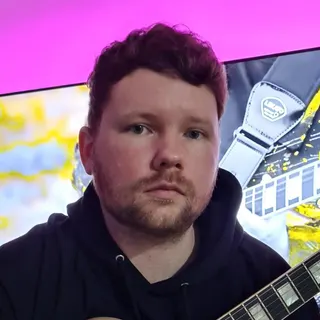
Portrait of Owen Evans

Owen Evans

Music, and Musical Instrument Specialist

Lumsden, United Kingdom

£30.00 per hourDBS checkediAccepting enquiries
GuitarMusicMusic PerformanceMusic Technology+1 more
  • Holds over 8 years' of online teaching experience.
  • Owen holds over 18 Years' experience teaching & in the Music industry.
  • Received over 1 million views & listens on Spotify, Youtube & social media.
  • A professional songwriter in all genres.
  • Over 10 years' experience using Logic Pro-x.
  • Owen has worked with Grammy-winning producers.

Owen Evans is a UK guitar tutor with 18+ years in teaching and the music industry, including 8+ years of online tutoring. He supports ABRSM/Rockschool, GCSE and A-Level Music, plus songwriting and Logic Pro X production with tailored lesson plans.

Send a quick enquiry from here and the Latimer Tuition team will pass it on to Owen.

What makes Grade 7 production different?

In Rockschool’s Coursework Edition, Grade 7 develops timing correction and fault finding. A learner needs to explain why a change helps, recognise problems by ear and apply a correction in a project. Prepare knowledge and listening alongside the practical work.

The published assessment allocates 25 marks to theory, 15 to listening and 60 to coursework. Coursework is prepared before the exam. Plan time to supply the required screenshots, saved sessions and associated audio, following the issued brief’s file instructions.

Knowledge and diagnosis
Work through latency, phase, noise and recording faults, alongside groove, quantisation and stereo width. For example, distinguish a delay while monitoring a performance from an audio event recorded in the wrong place before deciding what to change.
Listening
Practise identifying phase problems, harmonic and melodic minor material, son and rumba clave rhythmic patterns, and drum and bass and techno styles. Explain the audible cue behind an answer, then try a fresh example without the label.
Practical production
The Grade 7 technical work includes correcting performance timing. Pathway-specific work then applies production skills to vocal harmony, retimed drum loops or sound for an animated logo.

Choose the pathway your tutor needs to know

The Coursework Edition has three production pathways. Bring the exact Grade 7 book, task brief and supplied files for yours. The examples below describe the different focus of the work; use the official instructions for the full submission requirements.

  • Audio Production: vocal harmony

    Create a harmony for a vocal performance using software techniques. A useful practice focus is to check how the added harmony fits the phrase, then compare consonants and phrase endings with the lead vocal. Identify an unintended timing mismatch, correct it and listen again: the parts should fit together while the phrasing still sounds natural.

  • Electronic Music Production: retime a break

    The Grade 7 brief asks you to edit and retime a selection of drum loops to create a 16-bar drum and bass break at a new tempo. Practise keeping its bar structure intact, choosing which hits need correction and listening for damage to the drum attacks after time stretching.

  • Sound for Media: an animated logo

    Create a sonic response to an animated logo. As a practice approach, mark a visual event such as the logo settling into place, position a sound against it and replay from before the cue. Judge whether the sound supports that event and whether its tail fits the remaining picture.

Worked example: change the tempo, keep the groove

Try this illustrative practice task alongside the Grade 7 electronic pathway. A 16-bar loop in 4/4 contains 64 beats. At 120 beats per minute it lasts 32 seconds; at 160 beats per minute the same 16 bars last 24 seconds. These tempos are practice values. Follow the tempo in your own assessment brief.

  1. Find why the loop no longer fits

    Suppose the project tempo is now 160 BPM but the audio still plays for 32 seconds. It extends beyond the intended 16 bars. Check that the first downbeat and the original bar length are identified correctly before stretching the audio to the new tempo.

  2. Correct one unintended late hit

    In Ableton Live, if a snare lands late by mistake, place Warp Markers at the neighbouring transients, the sharp beginnings of the surrounding hits, then move the late transient to its intended position. The neighbouring markers protect the surrounding timing. Discuss the equivalent editing tool in your DAW.

  3. Keep the musical decision audible

    Moving every hit exactly onto the beat grid can remove deliberate timing differences. Compare the original and edited versions: does the loop join cleanly, do the drum attacks remain clear, and does the intended groove survive? Repeat on another phrase and explain which hits you left alone and why.

Use the introduction to check production fit

Latimer offers a free introductory meeting to discuss goals and arrangements. Use it to establish whether the tutor can work with your pathway and DAW; the introduction is normally a conversation rather than a full teaching lesson.

  1. Share a focused starting point

    Name your DAW and version, coursework pathway and any target exam date. Describe one difficulty, such as a drum loop drifting out of time or a vocal edit sounding unnatural. A short project excerpt gives the conversation a concrete starting point.

  2. Agree a useful first paid lesson

    Ask to diagnose that difficulty together and work through one correction. Keep control of your own project so you can repeat the steps and explain the result. If the goal is exam preparation, agree how listening and knowledge work will sit alongside practical editing.

  3. Choose feedback you can use

    Discuss written edit notes, an annotated timeline, shorter listening examples or slower demonstrations if those would help. Agree one follow-up task and bring both the original and revised version to the next lesson.

Prepare your sound and project for online lessons

Latimer is online-first. Before the lesson, agree how the tutor will hear playback from your DAW and see the relevant tracks and controls. Test this with a short project excerpt; a working microphone call does not establish that the project audio is reaching the tutor. Microsoft Teams is the default lesson platform, and another platform can be agreed with the tutor.

Keep a copy of the original project before editing. If sharing files, include the audio the project needs and agree what to do about plug-ins the other person does not have. Use dummy information in demonstration files, keep passwords and private account details out of shared work, and check installation restrictions on school-managed devices. Discuss software compatibility before buying anything.

Rockschool Music Production exams use online remote invigilation or a privately invigilated session. For formal assessment, check the current instructions for your chosen route separately. A lesson setup and an exam setup serve different purposes; confirm responsibility for booking, invigilation and submission before entering.

Turn practice into evidence of readiness

Choose a lesson rhythm that leaves time to act on feedback. For this grade, a useful practice cycle combines one production edit, one listening question and one explanation of a technical problem. These suggested checkpoints help a learner and tutor decide what still needs work.

  • Repeat the edit independently

    Keep an untouched version, make the correction and save a comparison. Apply the same reasoning to a different passage without copying every setting. Explain the problem, the change and what improved when you listened back.

  • Test listening with unfamiliar material

    After learning a cue in a labelled example, try a new example without seeing the answer. If the answer is wrong, identify which feature you listened for and whether it distinguishes the alternatives.

  • Diagnose before changing settings

    For a noise or timing problem, describe when it occurs, identify the relevant stage in the recording or playback path and test one change at a time. A repeatable explanation is more useful than a list of settings that happened to work once.

Tell us what you are producing

The matching request is free. Include your Grade 7 pathway, DAW, current project and the help you want. Add your budget and preferred lesson times so the matching request reflects both the production work and the practical arrangements.

Support and clarity

Frequently asked questions

Straight answers to the questions people ask most often.

Do I need to pass Grade 6 before starting Grade 7?

Rockschool states that there are no formal entry requirements for this qualification. Earlier-grade knowledge is still expected. Bring an existing project so the tutor can identify gaps in editing, listening and technical understanding before you commit to an exam timetable.

Does Grade 7 Music Production mean instrumental Grade 7?

No. The Rockschool route discussed here assesses production knowledge, listening and practical work in a DAW. A Grade 7 instrumental qualification is a different learning and assessment route. Name Music Production and your coursework pathway when making an enquiry.

Can I take lessons without entering an exam?

Yes, you can discuss a project-based goal with the tutor, such as retiming a break, tightening vocal parts or creating sound for picture. Agree what a successful revision should sound like and keep before-and-after versions. The formal Grade 7 task instructions apply when preparing for that assessment.

Which DAW should I use?

RSL describes this coursework route as suitable for different DAWs. Start by naming the DAW and version you already use. Check that it has the functions required by your tasks and confirm that the tutor can teach them. Discuss missing features, plug-in dependencies or device restrictions before paying for new software.

Who books the Rockschool exam and submits the work?

Agree those responsibilities before entering. Check the current RSL booking, invigilation and submission instructions for your chosen route. A tuition enquiry does not book an exam; ask what preparation support the individual tutor offers and make sure the learner understands the work they will submit.

How much do lessons cost and how often should they be?

Tutors set their own rates, shown on their profiles, and Latimer invoices on a pay-as-you-go basis after lessons. Choose frequency around your practice time, budget and remaining tasks. A targeted editing problem may need a different lesson plan from preparation across knowledge, listening and a full production portfolio.

Can I arrange in-person music production lessons?

Latimer is online-first. In-person lessons require an individual arrangement with a suitably located tutor. If you need to work with a particular studio, audio interface or recording setup, describe that when enquiring and confirm the arrangement directly.

What could I work towards after Grade 7?

Rockschool Grade 8 introduces further creative production techniques, including parallel compression in its technical work. You could discuss that next grade or continue with independent recording and sound-for-picture projects. Choose the next goal around the skills you want to develop; moving on need not mean booking another exam immediately.

Further information

Useful links and resources

Related tutor pages

Explore related tuition options and guidance for choosing the right support.