
Grade 8 Music Production tuition

Grade 8 music production tutors

Prepare for RSL Rockschool Grade 8 Music Production, or develop advanced production skills through your own projects. Find one-to-one support for technical knowledge, critical listening and the decisions behind a finished production.

  • One-to-one tuition
  • Pay as you go
  • Direct tutor contact
Start with your goal: an RSL Grade 8 exam, a stronger mix, a vocal remix or sound for video. For exam preparation, tell us your coursework route and which digital audio workstation (DAW) you use, so you can discuss the right support with a tutor.

The form controls become available when the enquiry form has loaded.

Grade 8 Music Production tuition enquiry

Tell us what you know, skip anything you’re unsure about, and add a short description if you skip both subject and level.

  1. Tutoring brief
  2. Contact details

Final question

Contact details

Where should we send tutor options?

We’ll reply by email. Mobile is an optional fallback only.

Your tutoring brief

Subject
Music
Level
Grade 8

Free matching request skip anything you’re unsure about pay as you go when lessons begin.

We use your contact details to reply to this enquiry. See our Privacy Policy for other uses.

How one-to-one tuition can help

  • Explain and practise the technical choices behind an advanced production
  • Connect listening skills and theory with your chosen RSL coursework route
  • Critique your own work and make purposeful changes before assessment

Available tutors

Compare Grade 8 music tutors

Discuss music production experience, your software and the assessment you are preparing for before booking.

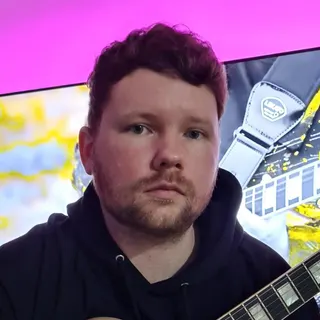
Portrait of Owen Evans

Owen Evans

Music, and Musical Instrument Specialist

Lumsden, United Kingdom

£30.00 per hourDBS checkediAccepting enquiries
GuitarMusicMusic PerformanceMusic Technology+1 more
  • Holds over 8 years' of online teaching experience.
  • Owen holds over 18 Years' experience teaching & in the Music industry.
  • Received over 1 million views & listens on Spotify, Youtube & social media.
  • A professional songwriter in all genres.
  • Over 10 years' experience using Logic Pro-x.
  • Owen has worked with Grammy-winning producers.

Owen Evans is a UK guitar tutor with 18+ years in teaching and the music industry, including 8+ years of online tutoring. He supports ABRSM/Rockschool, GCSE and A-Level Music, plus songwriting and Logic Pro X production with tailored lesson plans.

Send a quick enquiry from here and the Latimer Tuition team will pass it on to Owen.

What does Grade 8 Music Production involve?

RSL Rockschool’s Grade 8 Music Production qualification combines written theory, a listening test and a practical coursework task completed before the exam. The assessment weighting is 25% theory, 15% listening and 60% coursework. It assesses production knowledge and application: instrument pieces, scales and sight-reading are not its assessment components.

At this grade, preparation needs to go beyond finding the right button in your software. RSL expects candidates to use technical knowledge, take a specialised approach to production and critique their own work. The exam includes questions about the techniques, professional approach and creative interpretation in your coursework. A useful lesson connects what you hear with a decision you can explain and carry out yourself.

You can also study advanced production without entering an exam. Use a project goal, such as improving a final mix or making sound for a short film, to agree what you will learn and how to judge the result. For formal preparation, start from the current RSL requirements for your chosen route.

The award is the RSL Level 3 Certificate in Music Production (Grade 8). If you are choosing a different provider or qualification, give the tutor its exact title and syllabus; grade names alone are not enough to plan the preparation.

Audio Production: hear what a processor changes

RSL’s Audio Production route includes mastering a final mix using tools such as EQ, compressors and limiters. EQ changes the balance of frequencies; compressors and limiters control signal level. Grade 8 technical skills also include parallel compression, where a compressed version of a signal is mixed with an uncompressed version.

For example, imagine a drum part whose quieter detail disappears in the mix. Heavily compressing the only drum signal might bring up detail but also reduce the attack that makes the hits feel clear. In a practice session, keep a dry path and blend in a compressed path gradually. Compare the combined result with the original at a similar listening level, so a louder version does not win simply because it is louder.

A stronger explanation is “the added compressed signal makes the quieter detail easier to hear, while the dry signal keeps the attack”, rather than “compression makes drums better”. Then reduce the blend if the result sounds crowded. The follow-up is to repeat the comparison on another passage and explain whether the same balance still works. This is a constructed practice example, not an RSL assessment brief.

Electronic Music Production: make a vocal remix work

RSL’s Electronic Music Production coursework route asks for a remix using a supplied vocal part. Tuition can focus on how an arrangement supports that vocal and how to hear whether your editing choices work across a complete phrase.

As a practice example, a learner lines up the start of a vocal with the first beat, but later words drift against the backing. Moving the whole vocal cannot fix a difference in timing within the phrase. Check the project tempo and the vocal’s timing, then use the DAW’s timing tools to adjust appropriate points against the beat grid. Listen to the whole phrase after each change: consonants should remain clear and words should not sound unnaturally stretched.

Timing correction is a foundation to carry into the Grade 8 remix. For a further creative comparison, try one arrangement with a busy instrumental part under the vocal and another with that part answering in the gaps. Judge whether the change makes the vocal easier to follow and the arrangement more convincing; keep or reject it for a stated musical reason. Save both versions and explain your choices. This illustrates a practice task; the supplied RSL brief governs the actual coursework.

Sound for Media: connect the sound with the picture

RSL’s Sound for Media route involves synchronising sound effects, including foley, to video. Foley means sounds performed or recorded to match on-screen actions, such as footsteps. The production needs to make sense with the picture as well as sound convincing on its own.

For a practice clip, imagine a character walking on gravel. A learner uses a hard-floor footstep effect that starts after each visible foot contact. First compare that effect with a gravel footstep recording: the crunch better reflects the surface shown. Then align each sound’s onset, the point where it begins, with the intended contact in the video timeline. Play the complete sequence and adjust the effects’ levels so they fit together.

The Grade 8 preparation task is to critique both the choice of sound and its use in the scene. Explain why changing the effect improved the connection with the picture, and why timing corrections alone would not have fixed the wrong surface sound. As independent practice, compare two suitable effects for a different short action and justify the final choice. This is an illustrative lesson task, not a description of a particular RSL exam video.

Prepare theory and listening alongside coursework

A finished project is only part of RSL Grade 8 preparation. The Grade 8 guidance includes comparing WAV and MP3 audio, identifying 128 kbps and 320 kbps MP3 examples, recognising Dorian, Mixolydian and Lydian modes, and recognising 5/4 and 7/8 time signatures. Connect revision to sounds you can describe, then practise without looking at the answer. The official Grade 8 book provides a sample exam, listening audio and a glossary to help keep practice aligned with the assessed material.

  • Hear audio encoding differences

    As a practice exercise, make different encodings from the same source and compare the same passage at matched playback levels. Keep labels hidden for a second attempt. Note what you actually hear and where you are uncertain; file size or a visible filename does not demonstrate listening.

  • Explain musical features

    Work on modal and metre examples separately before combining them in a production. For metre, identify a recurring group of beats rather than guessing from the speed. For modes, connect the sound with its note pattern and tonal centre, the note that feels like home.

  • Justify recording decisions

    For a proposed vocal recording, explain why you chose a microphone and where you would record. Consider what the room will add to the sound, then compare two possible setups. Practise giving a reason tied to the source and room rather than naming expensive equipment.

Choose a tutor who can work with your projects

Use a free introductory meeting to discuss the learner’s goals, teaching approach and practical arrangements. It is a conversation about fit, not normally a full teaching lesson. Bring the name of your digital audio workstation (DAW), the software used to record, edit and mix, and a brief description of a project that has stalled.

Production and software experience
Look for relevant recording, editing and mixing experience. Confirm that the tutor can explain the tools in your DAW and work with the version and plug-ins you have.
Feedback you can use
Discuss how you will move from a comment such as “the mix lacks clarity” to a specific change, then compare the result with the original. You should understand the choice well enough to repeat it independently.
Learning needs and communication
Tell the tutor if slower demonstrations, written steps, screen magnification or breaks would help. For a younger learner, agree how a parent will receive updates while the learner keeps control of the production work.

Prepare your software and audio for online lessons

Latimer’s service is online first, with one-to-one lessons. Microsoft Teams is the default meeting platform; you and the tutor can agree another platform. Test how the tutor will hear your project audio as well as your voice before the first teaching session. Agree whether to share a screen, send an audio export or use both.

Have your DAW version, headphones and a copy of the project ready. Keep the original session intact so you can compare changes. Check that an exported file opens and plays correctly before sending it, and tell the tutor about any plug-ins they would need to open the session. Use dummy information in shared practice files, keep passwords and private account details out of shared work, and check installation restrictions on school-managed devices.

In-person lessons depend on an individual arrangement with the tutor. Explain any need to work with microphones or recording equipment at a particular location when making your enquiry.

Agree a useful first lesson and a workable budget

The tutor-matching request is free. Tutors set their own hourly rates, shown on their profiles, and Latimer invoices for lessons after they take place on a pay-as-you-go basis. Confirm the teaching rate and lesson length with your tutor, and include any equipment, software or exam costs in your own budget.

  1. Describe the work you want help with

    State your goal, production software, recent experience and any intended exam date. Mention what you can already complete unaided and where you lose confidence.

  2. Set one initial priority

    Agree a first teaching session around a specific project problem or assessed skill. Keep a short audio example or session copy from before the lesson so there is something concrete to compare later.

  3. Review independent progress

    Choose lesson frequency around time you can spend working between sessions. A weekly lesson with a manageable follow-up task is one possible starting arrangement, not a required timetable. Review whether you can carry out the task and explain your decisions without prompts before adding more work.

Tell us about your next production goal

Include your software, the project or assessment you are working towards, and the part you would most like help with. Add your budget and preferred lesson times so the enquiry describes the arrangement you need.

Support and clarity

Frequently asked questions

Straight answers to the questions people ask most often.

Do I need to pass Grade 7 before starting Grade 8 Music Production?

RSL sets no formal entry requirements, so a previous Grade 7 pass is not compulsory. Higher grades do require knowledge developed at earlier grades. Take a recent project and an outline of your technical and listening experience to the tutor, so preparation can address any gaps before concentrating on Grade 8 tasks.

Is Grade 8 Music Production suitable for adults?

Yes. RSL’s Music Production qualifications cover learners from under 16 through to adults. The preparation should start from your production experience and chosen goal. For an adult returning to study, discuss the time and equipment you can use between lessons, as well as whether you want an exam or support with independent projects.

Which production software do I need?

RSL describes its Music Production syllabus as DAW-agnostic, meaning it is not tied to one production program. Confirm that your existing software can carry out the tasks in your Grade 8 materials and that the tutor can work with it. Agree any software or plug-in needs before buying anything; exam computer requirements are separate from the choice of DAW.

What equipment is needed for the RSL online exam?

RSL’s online candidate guidance specifies a desktop or laptop, stable internet, a webcam and microphone, screen sharing, and headphones for the listening test. A phone or tablet is not suitable for taking the exam. Read the guidance linked by RSL for your booking and complete the required setup checks in advance.

Who arranges the exam entry and coursework submission?

Agree who will make the RSL booking, check the required materials and manage submission dates before planning lessons around an exam. A tuition enquiry does not book an exam. Coursework is prepared before the assessment; use the task and submission instructions for your chosen RSL route, and agree with the tutor how feedback will help you develop work you can complete and explain yourself.

Can I work on my own music without entering the exam?

Yes. You can ask for project-led tuition aimed at advanced production skills. Agree a concrete goal, such as a more controlled mix or convincing sound for a short film, and compare versions as you work. If you later enter RSL Grade 8, prepare its specified coursework task; a personal project does not automatically satisfy the assessment brief.

Further information

Useful links and resources

Related tutor pages

Explore related tuition options and guidance for choosing the right support.